Plan your day with less pressure.
Planuki helps you organize tasks, build flexible routines, stay focused, and recover when plans change — all without overwhelming your day.
Features
Everything you need.
Nothing that overwhelms.
Each tool is designed to lower the pressure of planning, not add to it.
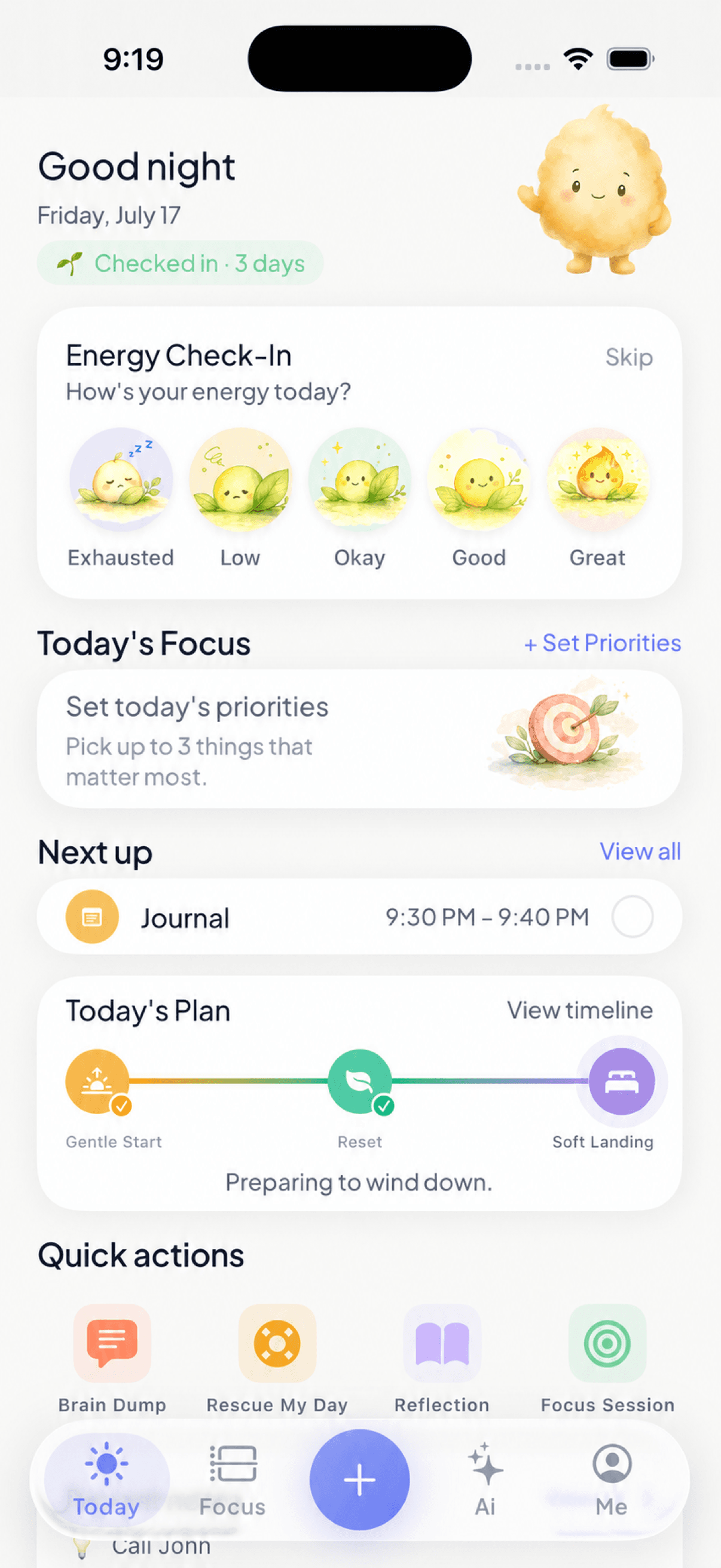
Today's Plan
Start every day with a realistic plan and up to three priorities.
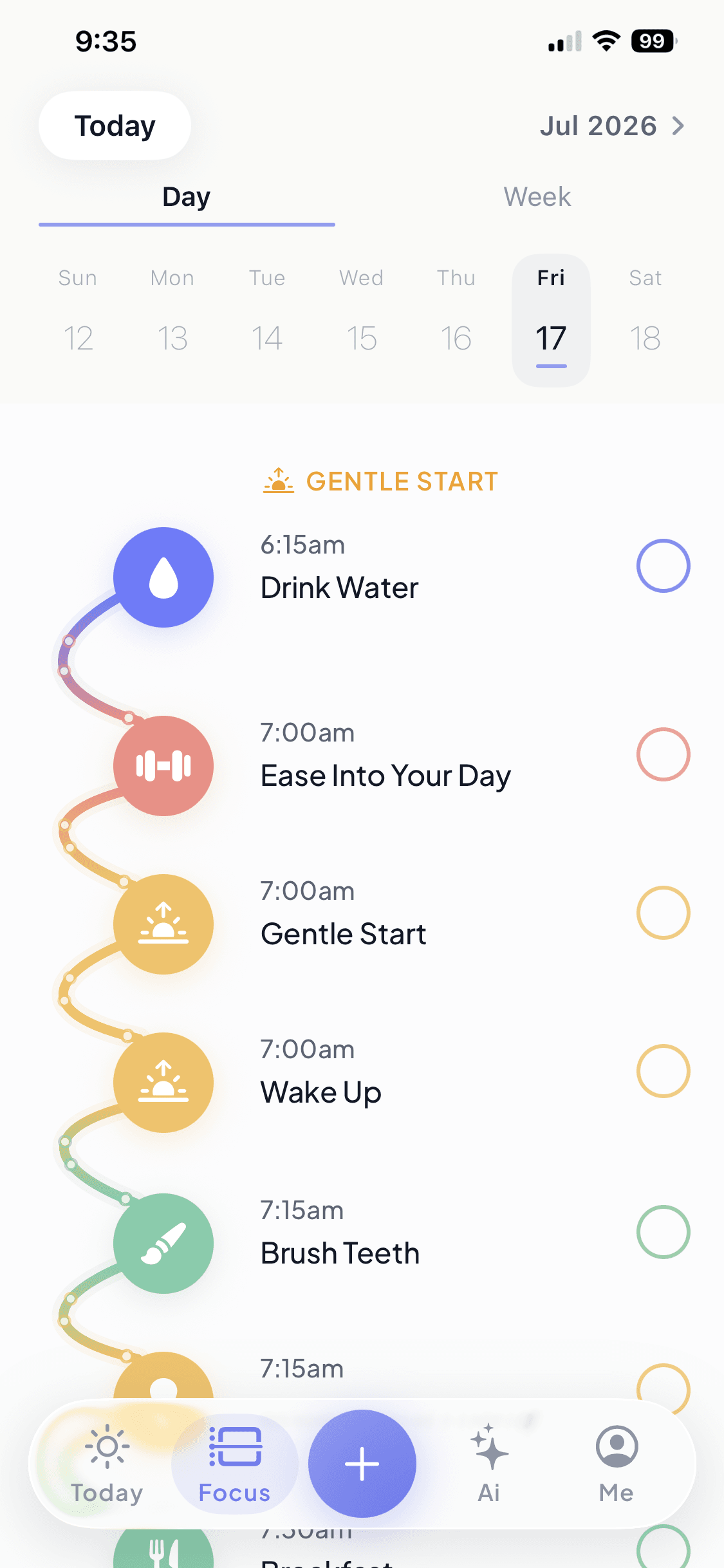
Flow Day Timeline
See your day in chronological order.
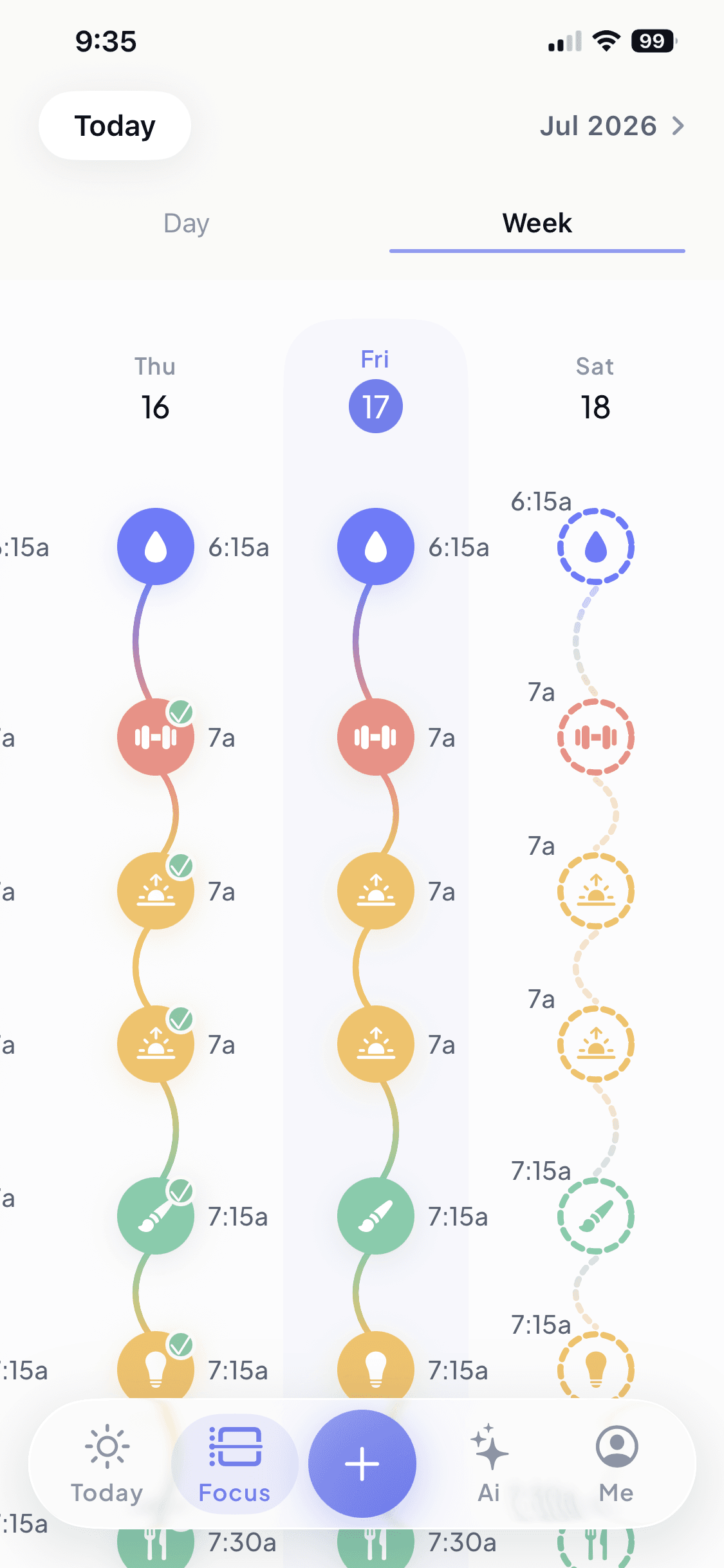
Week View
Understand your week at a glance.
Energy Check-In
Plan around your energy, not just the clock.
Gentle Start
Ease into your morning.
Midday Reset
Pause and refocus.
Soft Landing
End your day intentionally.
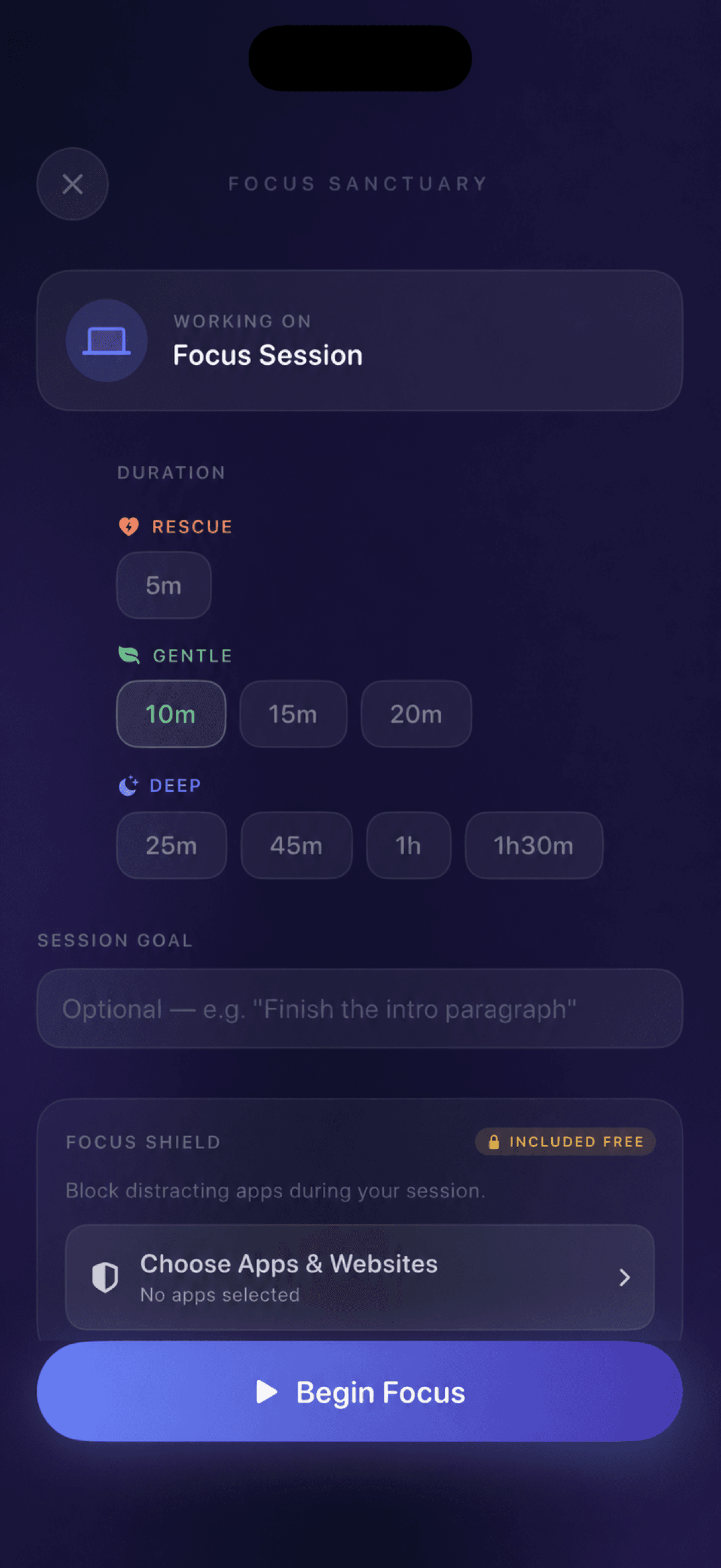
Focus Sessions
Stay present with gentle or deep focus timers.
Focus Shield
Block distracting apps while you focus.
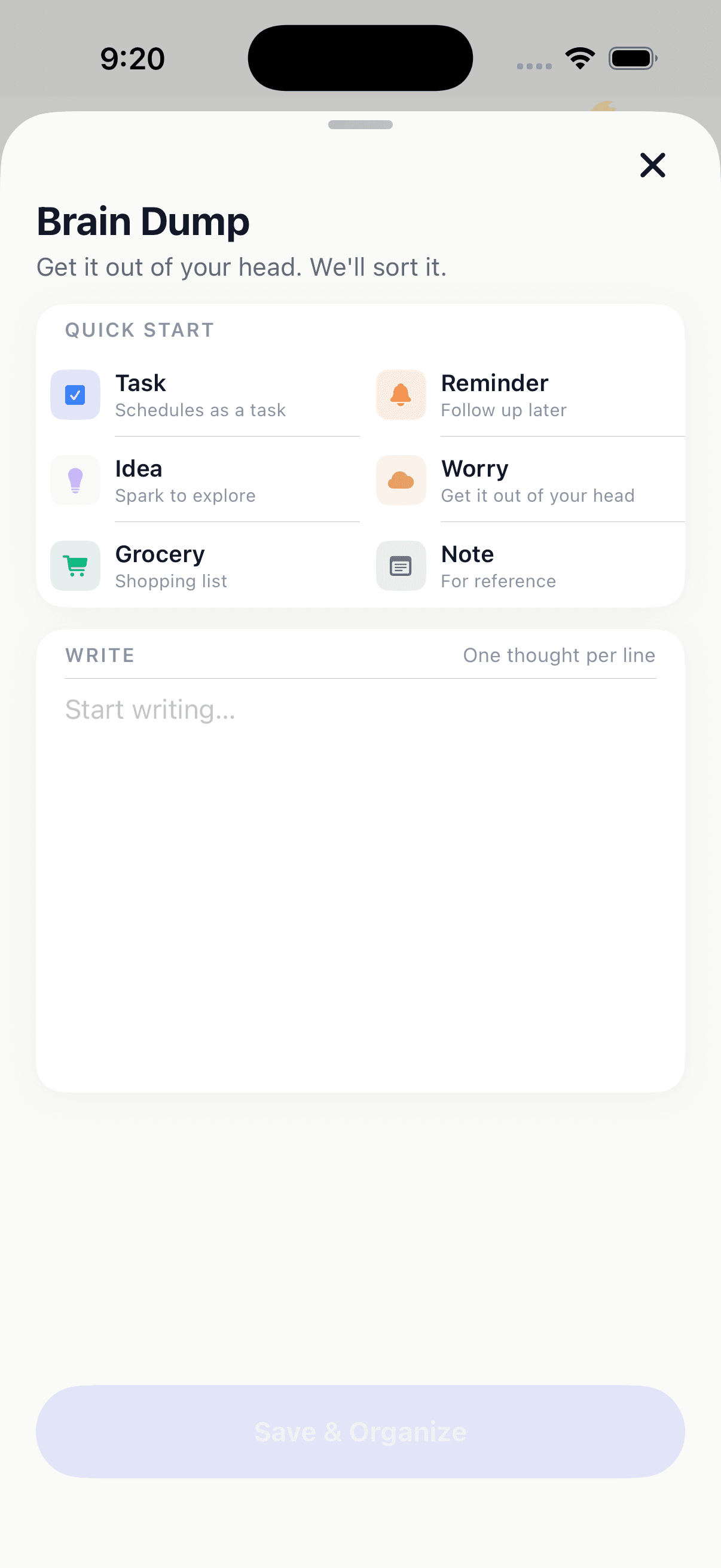
Brain Dump
Capture tasks, ideas, worries, and lists before they disappear.
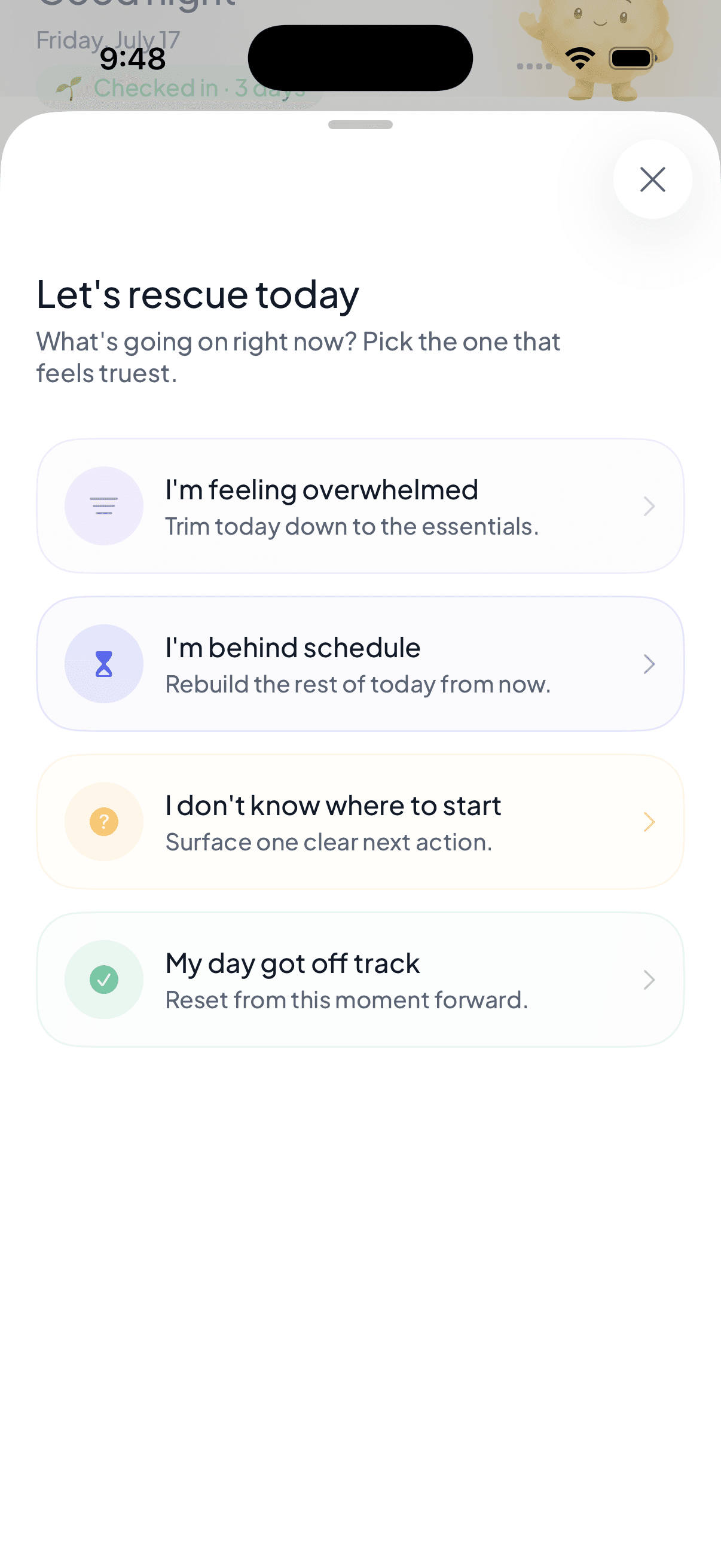
Rescue My Day
When your schedule falls apart, rebuild it in seconds.
- Planuki Premium
Planning Wizards
Guided flows for mornings, projects, trips, and more.
- Planuki Premium
Calendar Sync
See events as protected blocks and plan around them.
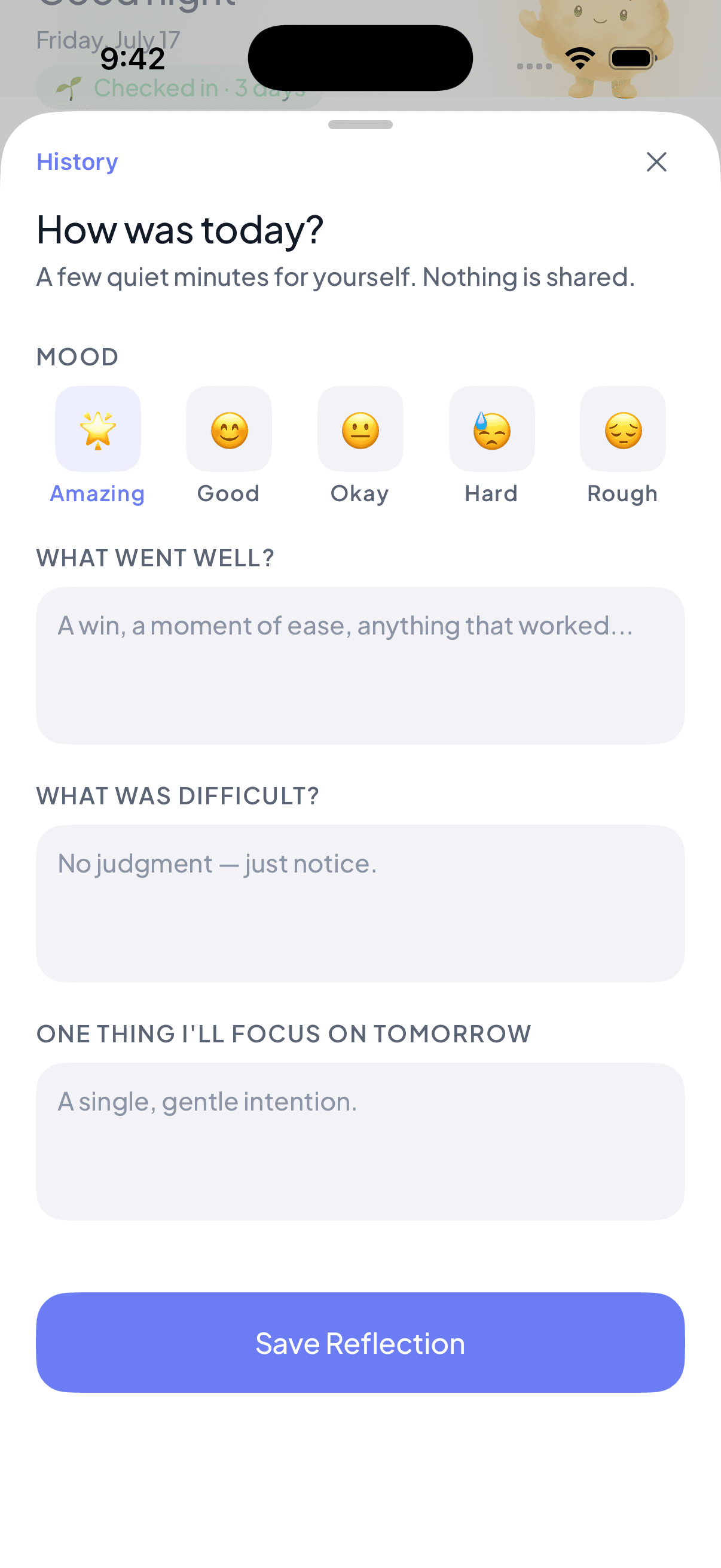
Reflection
Celebrate progress instead of perfection.
Cloud Backup
Free, optional backup keeps every device in sync.
How it works
Three steps to a calmer day
- 01
Capture
Type it, speak it, or snap a photo — get everything off your mind.
- 02
Plan
Planuki builds a realistic day around your routines.
- 03
Adapt
Life changes. Your plan changes with it.
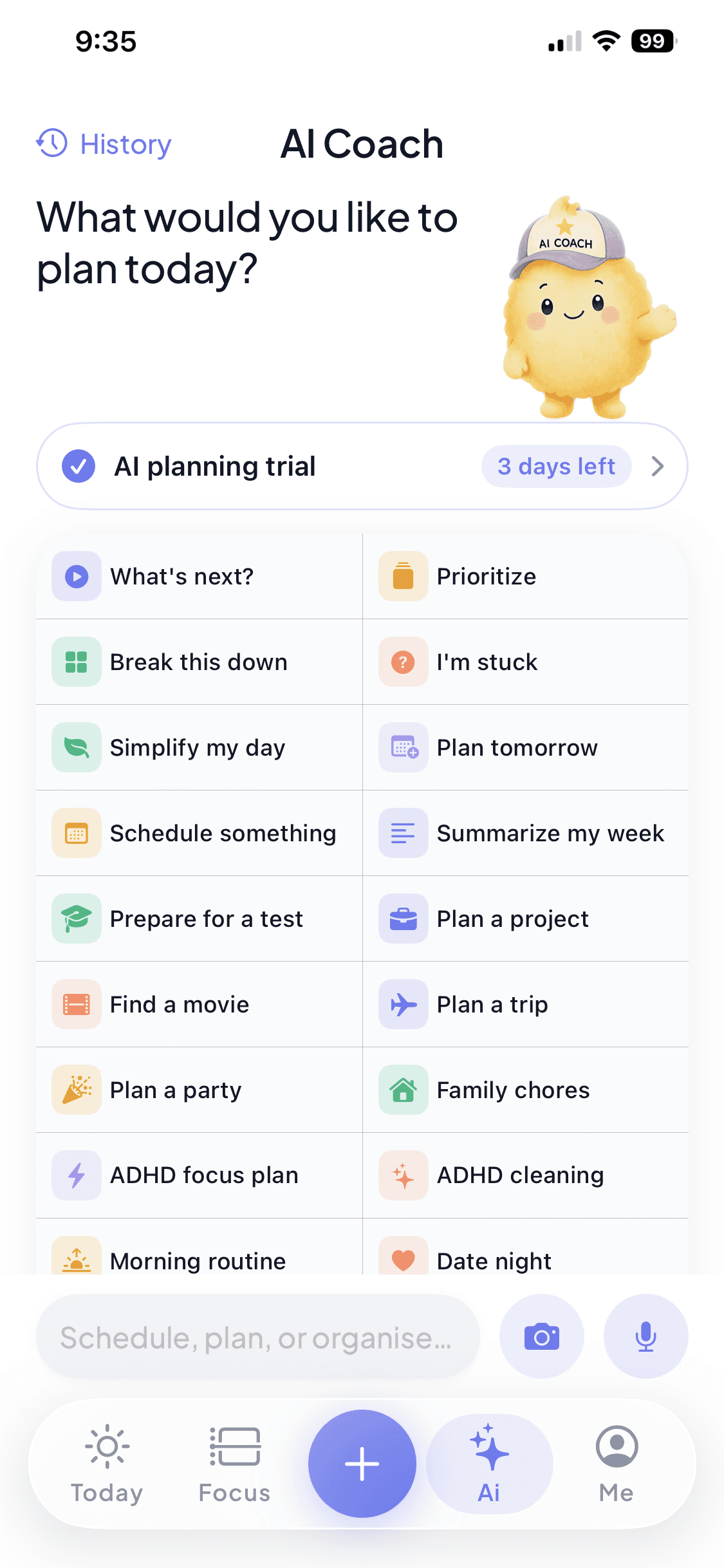
AI Coach
Meet your AI Coach — your planning companion.
Type it, say it, or snap a photo of a handwritten list — then get planning guidance, break down overwhelming tasks, reorganize your day, and recover when life gets busy. It never plans for you — it plans with you.
- Natural conversation
- Voice & photo input
- Smart task breakdowns
- Planning wizards
- Daily reorganization
- Recovery planning
Daily rhythm
Natural structure, not rigid schedules
Three gentle anchors give your day a shape — a calm beginning, a midday pause, and a soft close — without locking every hour into a grid.
Gentle Start
Ease into the day instead of jumping straight into pressure.
Midday Reset
A gentle pause to regroup before the afternoon.
Soft Landing
Wind down and close the day without a scramble.
A look inside
Designed to feel like home
Every screen is built to lower the temperature of your day.
Why Planuki
A planner that plans for real life
Instead of
- Endless to-do lists
- Rigid hour-by-hour grids
- Guilt when plans slip
Planuki gives you
- Flexible planning
- Built around routines
- Plans that match your energy
- Adjusts when plans change
- Designed to reduce overwhelm
- A calm experience
- One step at a time
Pricing
Free to start. More support when you're ready.
Apple manages billing securely through your Apple ID.
Free
Calm planning, every day.
$0 forever
- Today's Plan
- Flow Day timeline
- Week view
- Tasks & recurring tasks
- Brain Dump
- Reflection
- Focus Sessions
- Focus Shield
- One Rescue My Day each day
- Notifications
- Offline planning
- Optional Cloud Backup
Planuki Premium
Your planning companion, fully unlocked.
Monthly or annual auto-renewing subscription
- Everything in Free, plus:
- AI Coach
- Unlimited Rescue My Day support
- Smart task breakdowns
- Planning wizards
- Read-only Calendar Sync
Built for real life
Support for the day you actually have
Planuki meets you at the beginning, in the messy middle, and at the end of your day.
Start where you are
Check in with your energy, choose what matters, and shape a day that fits your actual capacity.
Change the plan, not the goal
When the day slips, Rescue My Day helps trim, rebuild, or surface one clear next action.
Notice progress
Close the day with a private reflection that makes room for wins, difficulty, and tomorrow's focus.
FAQ
Questions, answered
Does Planuki require an account?
No. You can plan, focus, and reflect without creating an account. Sign in with Apple, Google, or email only if you choose to turn on free, optional Cloud Backup and sync.
Can I use it offline?
Yes. Core planning works fully offline — your plans, tasks, and reflections live on your device. Only optional features like AI Coach and Cloud Backup need a connection.
How does AI Coach work?
AI Coach first uses Planuki planning tools on your device and, on supported Apple Intelligence devices, may use Apple's on-device language model. Only when those options cannot finish a request may Planuki use OpenAI through its backend, after asking permission before the first external request. It proposes planning steps and changes; you stay in control.
Does AI read all my information?
No. Planuki does not send OpenAI your entire account, full task history, calendar events, photos, account email, or payment details. An external fallback can include your current message, up to six recent AI Coach turns, up to fifteen relevant tasks from today or tomorrow, and limited planning context. The backend reduces and redacts the request before it reaches OpenAI.
Can I restore purchases?
Yes. Open the Me tab and choose Restore purchases. Make sure the device uses the same Apple Account that made the purchase.
Can I cancel anytime?
Yes. Manage or cancel in iOS Settings → your name → Subscriptions. Cancellation stops the next renewal, and you keep access through the current paid period.
Does it sync across devices?
Yes, if you turn on free, optional Cloud Backup and sign in to the same Planuki account on each device. Without Cloud Backup, your planner stays local to that device.
Where is Cloud Backup data stored?
Planuki uses a Supabase project with its primary cloud database hosted in the United States. If you enable Cloud Backup from another country, your account and synchronized planner data are transferred to and stored in the United States.
What is included for free?
Core planning, recurring tasks, Day and Week views, Brain Dump, Reflection, Focus Sessions, Focus Shield, notifications, one Rescue My Day run per day, and optional Cloud Backup are free. Planuki Premium adds AI Coach, more Rescue support, smart task breakdowns, planning wizards, and Calendar Sync.
Can Planuki read or change my calendar?
Only if you enable Calendar Sync and grant permission. Planuki reads the calendars you select and shows events as protected, read-only blocks so you can plan around them; it does not edit those events.
Can I export or delete my data?
Yes. Me → Privacy & Your Data lets you export your Planuki data as JSON, delete a cloud backup, or permanently delete your account and cloud data. Local data remains on your device unless you remove it there or delete the app.
Privacy
Private by design
Local first, optional permissions, clear controls, and no sale of your personal data.
- Private by designYour plans belong to you, not us.
- Works offlineCore planning never needs a connection.
- Free, optional backupCloud Backup is off until you turn it on.
- Optional permissionsCalendar, notifications, photos, camera, and voice are your choice.
- Minimal AI sharingAI Coach only processes what your request needs.
- No AI trainingYour data is never used to train AI models.
Ready for a calmer day?
Planuki is getting ready for the App Store. Core planning will be free, with no account required.